Know Your Numbers Every Day: How Easy P4P Keeps Your Crews and Business in the Green Zone
Yardbook never gave me daily KPIs. Here's why knowing your numbers every day matters, and how Easy P4P keeps your crews and your profit in the green zone.
A KPI (key performance indicator) is a number you check on a regular schedule to tell whether a business is healthy; for a service crew the useful ones are labor percentage, net profit percentage and crew efficiency, checked every day.
For years I could tell you exactly how much revenue my crews brought in last month. What I could not tell you was whether Tuesday was a good day.
That sounds like a small gap. It wasn't. It was the gap between running a business and reacting to one, and it cost me more than I want to admit.
What is a KPI, without the boardroom talk?
KPI stands for key performance indicator. Strip away the corporate language and it's just a number that tells you, quickly, whether you're winning or losing. A gas gauge is a KPI. So is the temperature light on a truck dashboard. You don't need a degree to read either one, and you'd never drive across the state without them.
Most service business owners do the opposite. We drive the whole season with a revenue number we only see after the fact, and we hope the engine is fine.
The KPIs that matter in a crew-based business are simple:
- Labor percentage. Total crew pay divided by the labor revenue the crew produced. This is the big one. It tells you how much of every dollar you bill goes to the people who earned it.
- Revenue per crew, per day. Which crews are producing and which are coasting.
- Crew efficiency. How the time a job should take compares with the time it actually took.
- Bonus tracking. Whether a crew is on pace to earn a bonus, and whether that bonus is actually paying for itself.
None of these are complicated. The hard part was never understanding them. The hard part was getting them every single day without spending my evenings with a calculator.
Why "Daily" Is the Word That Matters
A monthly number tells you what already happened. A weekly number tells you what happened recently. A daily number tells you what you can still fix.
Think about a crew that has a rough Monday. Maybe a job ran long, maybe a truck sat in traffic, maybe someone showed up late and the whole route slipped. If you see that on Monday night, you can talk to the crew leader Tuesday morning, adjust the route, and the problem is a one-day blip. If you see it at the end of the month, it's four weeks of the same problem baked into your numbers, and you're explaining a bad month instead of preventing one.
A KPI you see once a month is a report card. A KPI you see every day is a steering wheel.
This is the part I learned the hard way. When I was calculating labor percentage by hand every night, my crews were hitting 25% to 35% most days and collecting their bonus. Revenue was climbing. The bank account was shrinking. I had no early warning, because my "KPIs" were a stack of handwritten crew sheets and a lot of math done at 8 PM after a long day.
What is the green zone?
Here's how I think about it now. Every number that matters has a green zone, a range where the business is healthy, and a red zone, where something is leaking.
For me, the green zone is built around labor percentage. When a crew's pay stays under the target I set, the crew earns a bonus and the company still keeps its margin. Everyone wins. When the number creeps up, the bonus is being paid on work that isn't actually profitable, and that's the leak I was living with and couldn't see.
The point of a green zone isn't to catch people doing something wrong. It's to give everyone, owner and crew alike, a clear target and a clear signal. Crews like knowing where they stand. Owners like knowing the business is okay. Nobody likes finding out three weeks later that it wasn't.
Why I Never Had This in Yardbook
I want to be fair here, because I've used Yardbook since the day I started my business and I still use it every day. It's a fantastic CRM. Client records, scheduling, routing, invoicing, and getting paid all work well, and I have over 2,000 client profiles in there that I'm not going anywhere with.
But Yardbook was never built to tell me how my crews were performing day to day. It tells me what jobs were done and what they were worth. It does not tell me whether the crew that did them had a good day or a bad one, whether labor was in the green zone, or whether my bonus structure was paying off or quietly eating my profit.
That's not a flaw so much as a different job. A CRM tracks your customers and your schedule. A performance layer tracks your crews and your margin. I just didn't have the second one, and I ran the company for years without it.
What does Easy P4P give me every day?
This is exactly why I built Easy P4P. Think of it as a daily KPI generator that sits next to the CRM you already use.
When jobs are completed, the numbers come in without me re-typing anything. Easy P4P splits the revenue across the crew assigned that day, tracks their time, and calculates what each person earned. And because all of that is already happening, the KPIs fall out of it automatically:
- Labor percentage, daily. For each crew and for the whole company, with field labor and admin labor shown separately so you can see where the cost really sits.
- Crew efficiency, daily. A line for every crew member over the last couple of weeks, so a slow slide shows up as a trend instead of a surprise.
- Weekly summaries. The same numbers rolled up so you can compare this week with last.
- A company dashboard. Revenue, labor cost, jobs, and efficiency across every crew in one place.
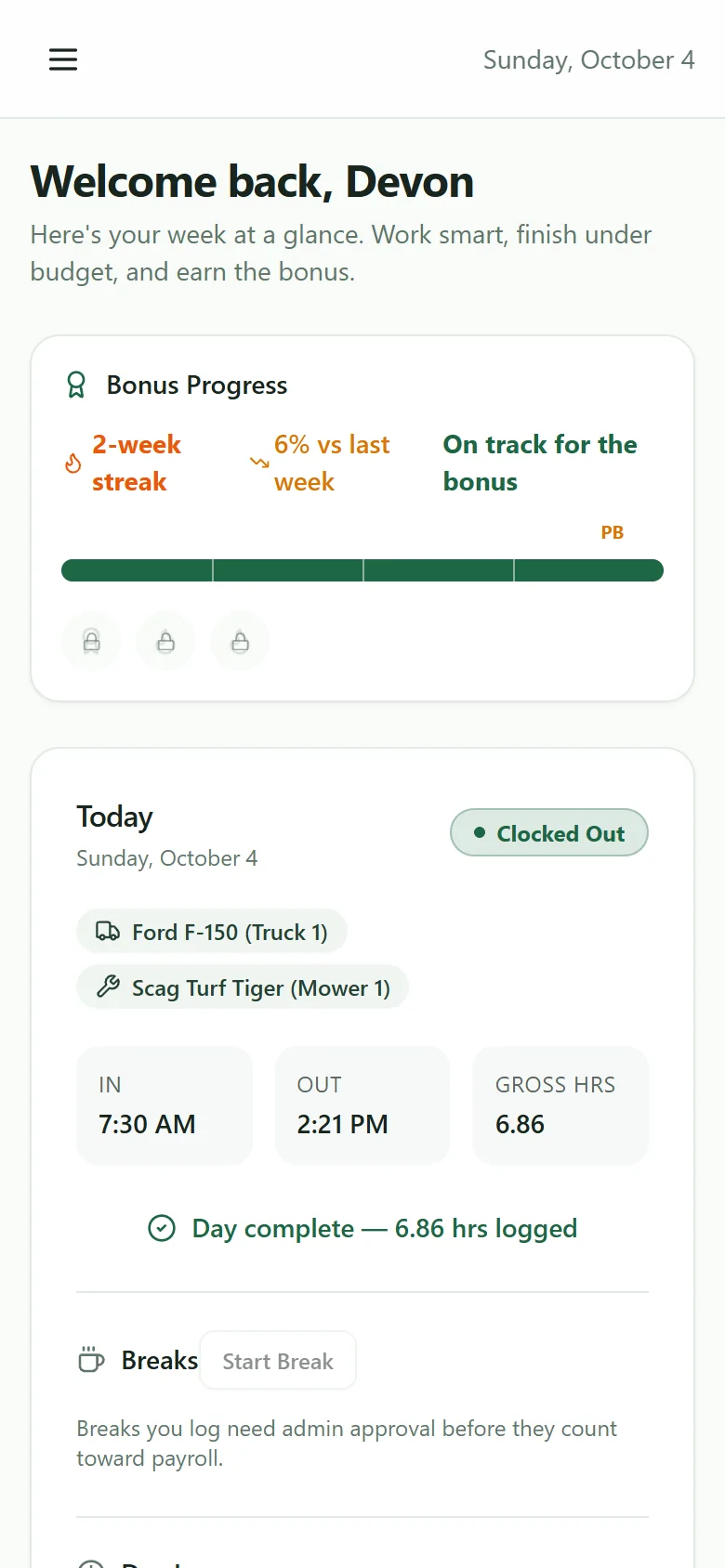
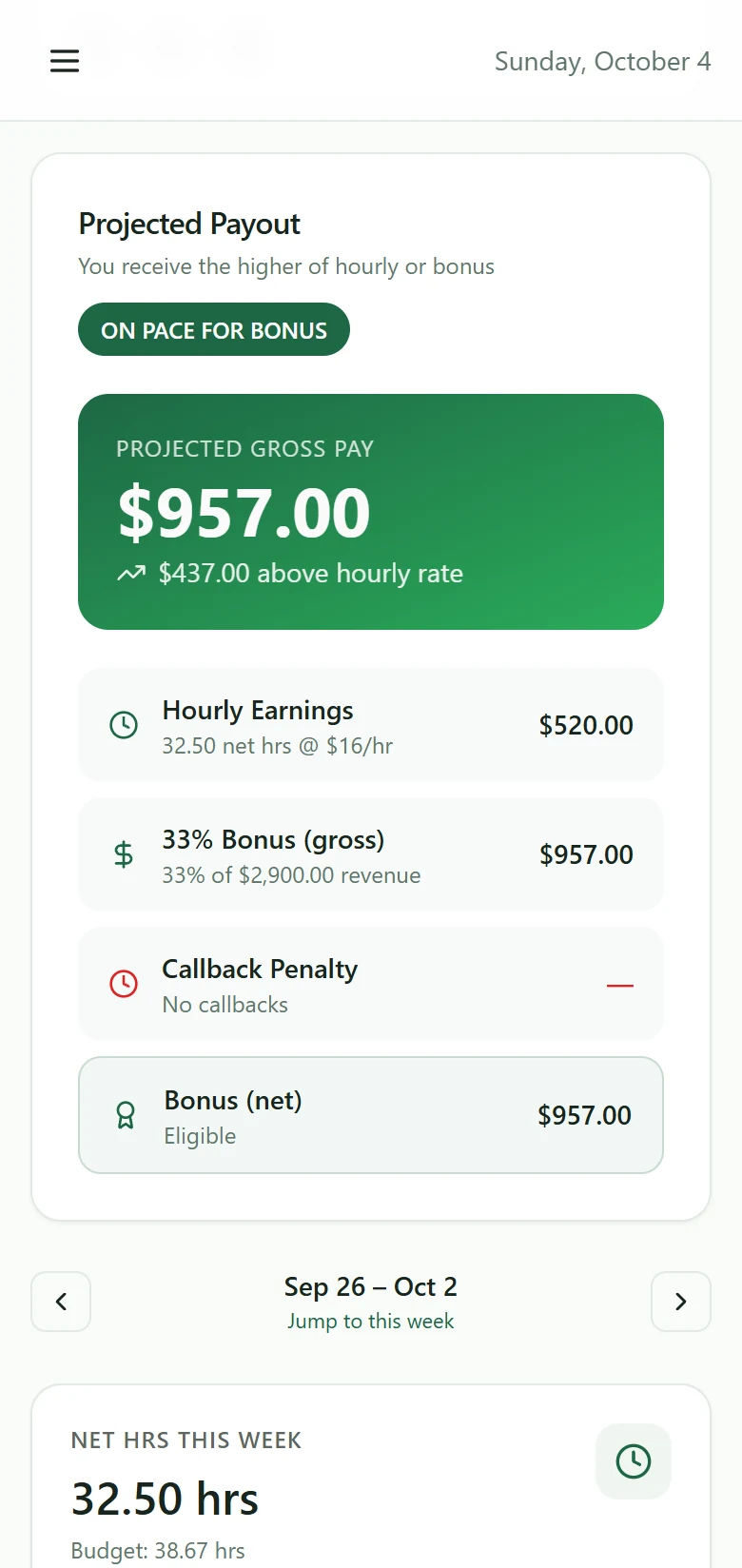
- Bonus progress for the crew. Each crew member sees their own projected payout and whether they're on pace for a bonus, right on their phone.
That last one matters more than it sounds. When a crew member can see, in real time, whether they're on pace, they adjust on their own. Nobody has to nag. A live number on a phone screen does the coaching that a Friday paycheck never could.
The Profit Report: Your Whole Business in One Click
Labor percentage tells you whether the crews are in the green zone. But a crew can be in the green zone and the company can still be losing money, because labor isn't the only cost. That's why I built the Profit Report.
Pick any dates, click once, and Easy P4P lays out the whole picture from top to bottom:
- Gross revenue for the period, and the number of jobs behind it.
- Deductions, like materials, and what percent of gross they eat.
- True labor revenue. Gross minus deductions, which is the money your crews actually earned the company.
- Payroll, with wages and company taxes shown together.
- P4P paid. The part of payroll that was bonus above base pay, so you can see exactly what performance pay is costing you and what share of payroll it is.
- Overhead, based on your own weekly overhead number, spread across the days you actually worked.
- Net profit, in dollars and as a percentage.
Then come the KPIs I always wished I had. Labor percentage and net profit percentage, each compared with the previous period so you can tell at a glance whether you're improving. Gross revenue and net profit per day worked. Revenue per labor hour. Average job size and jobs per day. And my favorite, break-even per day: the amount of true labor revenue your company needs to produce each day just to cover payroll and overhead, shown right next to what you actually produced.
That break-even number changed how I look at a slow day. A slow day used to be a feeling. Now it's a gap between two numbers, and I can see how big the gap is. There's a week-by-week breakdown underneath, a daily labor percentage chart by crew member, and you can export the whole report as a CSV or PDF for your accountant or your own records.
One honest note: overhead and the company tax rate are numbers you enter yourself, so the net profit figure is only as good as the estimates you give it. It's a management tool for steering the business, not a replacement for your books.
What I Look At Each Day
I don't spend an hour in the app. Here's the routine, and it takes a few minutes:
- Company labor percentage. Is it in the green zone? If yes, I move on with my day.
- Any crew outside the zone. If one crew is drifting, I look at why. Long drive times, a job that was under-bid, a callback that ate the afternoon. The cause is usually obvious once I'm looking at one day instead of one month.
- Efficiency trends. I'm not looking for one bad day. I'm looking for a pattern, like a crew member whose line has been sliding for a week.
- Tomorrow's plan. If something needs fixing, I make a call in the morning, not a correction in the next quarter.
Once a week I add one more step: I open the Profit Report for the last few weeks and check net profit and break-even per day against what we actually produced. That's where I see whether the green zone on labor is really turning into profit.
That's it. The old way took hours at night and told me way less. The new way takes minutes and tells me everything i need to know.
What changes when you know your numbers?
A few things happened for me once the KPIs were available every day:
- The guessing stopped. I used to have a feeling about how the week was going. Now I have a number, and the number is usually different from the feeling.
- Problems got small. Issues showed up while they were still one bad day, not a bad month.
- Conversations got easier. It's much easier to talk to a crew when you're both looking at the same numbers. It stops being my opinion against theirs.
- My evenings came back. No more 8 PM calculations for four crews that finished an hour ago.
You Can't Manage What You Can't See
If you run crews today, ask yourself one question: could you tell me, right now, whether yesterday was a good day? Not revenue. A good day, meaning labor in the green zone, crews on pace, and margin intact.
If the honest answer is "I'd have to dig into some spreadsheets," then you're running the way I was, and the leak is probably there too. It's not a skill problem. Nobody gave us the daily numbers, so we learned to run without them.
That's the whole reason I built this. Easy P4P gives you the KPIs for each day so you and your crews can stay in the green zone, and it works alongside the CRM you already trust. See what yesterday actually looked like.
Disclaimer: Easy P4P is a software tool to help you track performance and calculate payroll. It is not a legal, tax, or HR service, and nothing in this blog post is legal or wage-compliance advice. Always consult a qualified professional about your specific obligations under federal, state, and local labor laws.
More from the founder's journal
- Callbacks Are Costing You More Than You Think: How to Handle Redos Without Losing Money
- The 8 KPIs Every Service Business Owner Should Check Weekly
- How to Connect Yardbook to Easy P4P with Zapier (Step-by-Step)
- The Tech Stack I Use to Run My High-Six-Figure Operation
Use Yardbook? See how Easy P4P works with it. Want to know who writes this? About Jason and QuickCall.